
How to Check Restaurant Inspection Reports in Florida
Red Flags to Look For & Understanding Health Inspection Violations
TL;DR
There is no “letter grade” in the window to warn you if the Florida restaurant you’re about to dine in has any serious health violations, so diners are left to find inspection reports on their own. They are available online, but it can be a puzzle trying to navigate to the right place, and even more confusing trying to decode the violations. That’s why we put together this guide with easy instructions on how to check restaurant health inspection reports in Florida. Plus, we help you understand the severity of the violations, and if you should eat at a restaurant with a bad health score.
In this article
Florida Department of Health Restaurant Inspections, Reports & Violations
Checking the current status and history of inspections before dining out only takes a few minutes and can help you make more informed decisions before you choose where to eat.
In states like New York, California, and North Carolina, restaurants are required to display a letter grade at the entrance to show diners they passed the state’s health and safety inspection. Having this posted provides great transparency to patrons, and incentives restaurants to maintain safety regulations in order to uphold their reputation. But, when you walk into a restaurant in Florida there are no scores or grades to be found. That’s because Florida takes a different approach.
Here, the state does not issue a letter grade. Industry groups like the Florida Restaurant & Lodging Association strongly believe grades are bias and ‘only show a “snapshot” and not a full picture of a restaurant’s overall safety’. That said, they do not withhold the details or results of these restaurant inspections if you know where to look.
But, between violation codes and license searching, the reports are heavy on legal jargon. That’s why some platforms offer their own variation and scoring of Florida food establishments. Their goal is to make it easy to find any violations and actually understand how they affect you. The scores or grades from these third party platforms are based on their own methodology and are not governed by the state.
Where to Find Florida Restaurant Health Scores & Inspection Details
The Division of Hotels and Restaurants conduct regular inspections of public food service and lodging establishments to assure compliance with all state sanitation and safety laws. The details of these inspections are available to the public in an online database through the Florida Department of Business & Professional Regulation (DBPR). Yelp and Life Kitchen are two additional resources that provide inspection report details.
It’s important to note that Florida DBPR is the ONLY ‘official’ inspection report issued by the state. Yelp and Life Kitchen are third party tools using their own data and metrics.
3 Places to Check Florida Restaurant Health Inspections
1. DBPR
2. Yelp
3. Life Kitchen
Florida Foodie Fail Alerts
Get weekly updates of the restaurants that failed a health inspection in your area
Florida Department of Business and Professional Regulation (DBPR)
Florida DBPR’s mission is to protect the health and safety of the public by providing the industry with quality inspections and fair regulation. The agency visits restaurants unannounced annually. During inspections, everything that goes on behind the scenes, and in the kitchen, is evaluated and scored based on industry regulations. Anything that does not follow proper protocols is marked on the report as a violation.
Each violation is given a priority level based on severity, the risk to public health and whether or not it is a repeat offense. The most critical and harmful violations are marked high priority. The frequency of inspections are determined on how many violations an establishment gets during previous inspections. Lower scores + high priority violations = more inspections per year.
The scores are posted online and can be found through the DBPR Florida Restaurant Inspection Report Search online portal or through the DBPR mobile app.
Yelp Health Scores (powered HDI)
Yelp is the one of the most popular platforms used to find ratings and reviews of restaurants. Yelp provides details of each establishment, photos, FAQs, guest reviews and pretty much anything you may want to know about a restaurant, including inspection information. Each restaurant has a ‘health score’ listed as pass or fail, calculated from data they collect from Health Department Intelligence (HDI). You can view these details on Yelp under the ‘Amenities and More’ section.
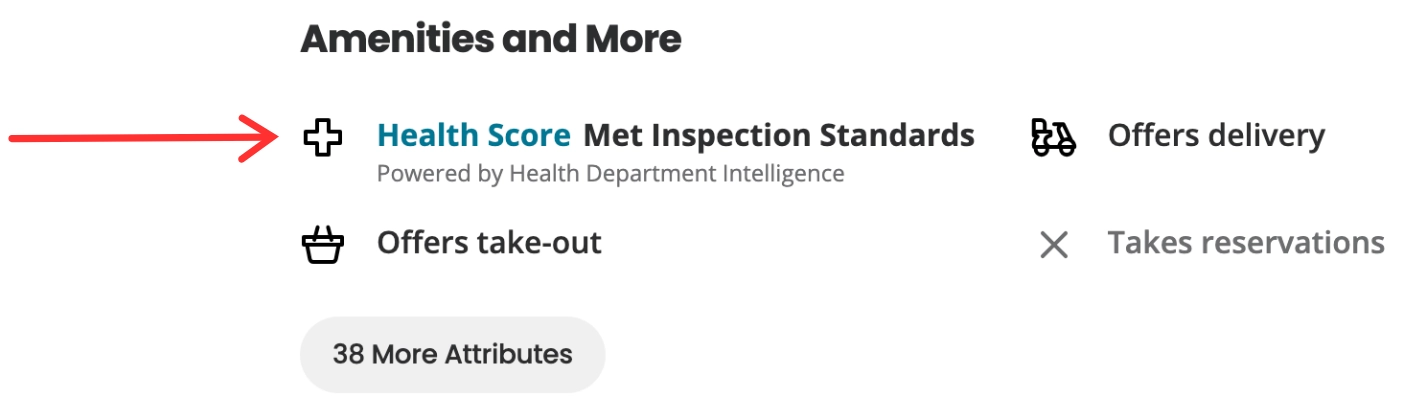
Remember, the information provided by Yelp is derived from the DBPR, but eliminates users having to go to more than one resource before dining out (to check reviews and for health scores). Many people use Yelp already, making this an easier and more familiar alternative to view the data on the official government site.
Fort Lauderdale Food Tours
Life Kitchen App
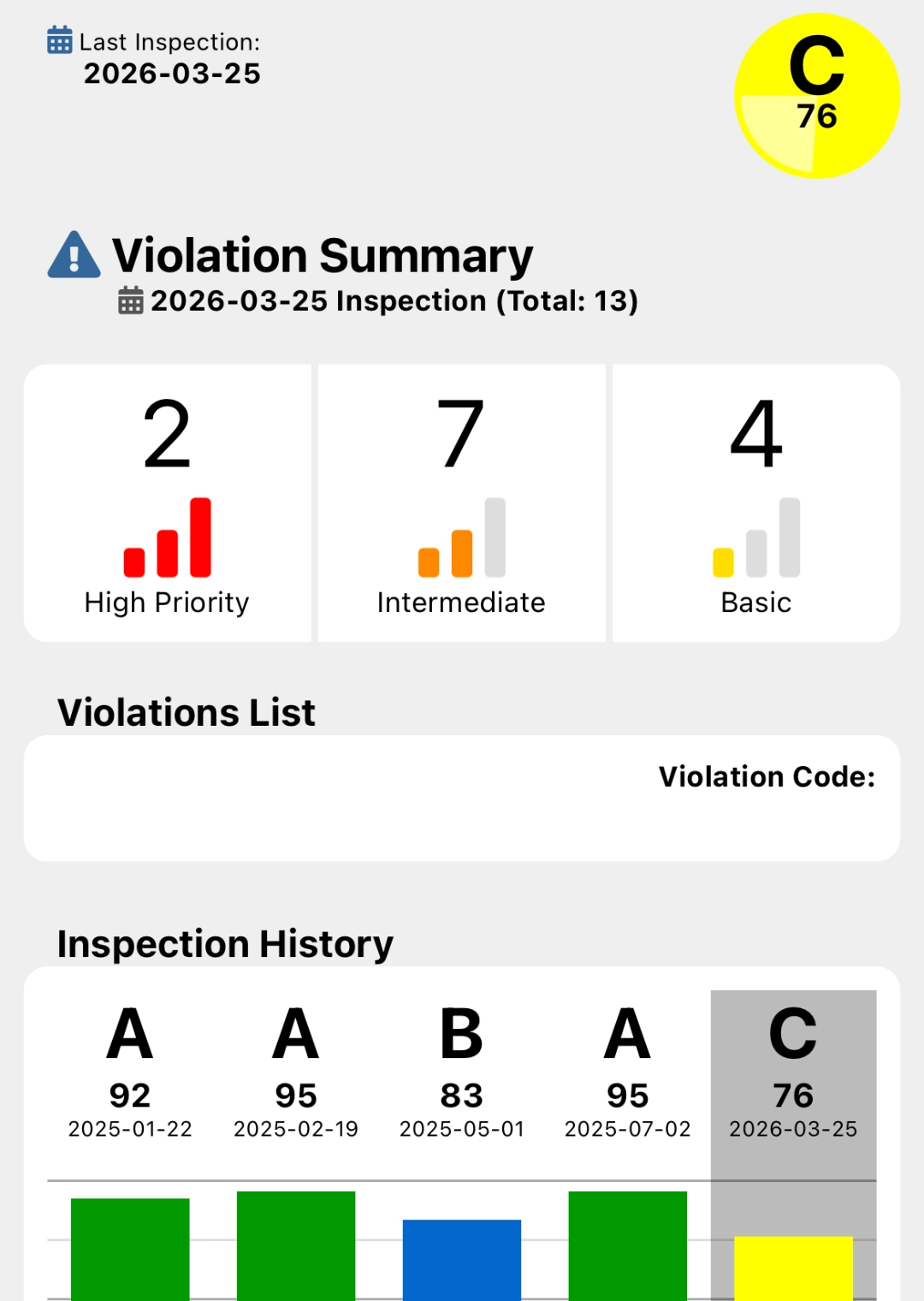
Another third party alternative that is very user friendly, is the Life Kitchen app created by Restaurant Equipment World. The app takes all the report details from public records (through DBPR) and uses their own scoring system to generate a letter grade. Life Kitchen and REW are not affiliated with the government, they simply collect data from them, and assign the scores with their own methodology.
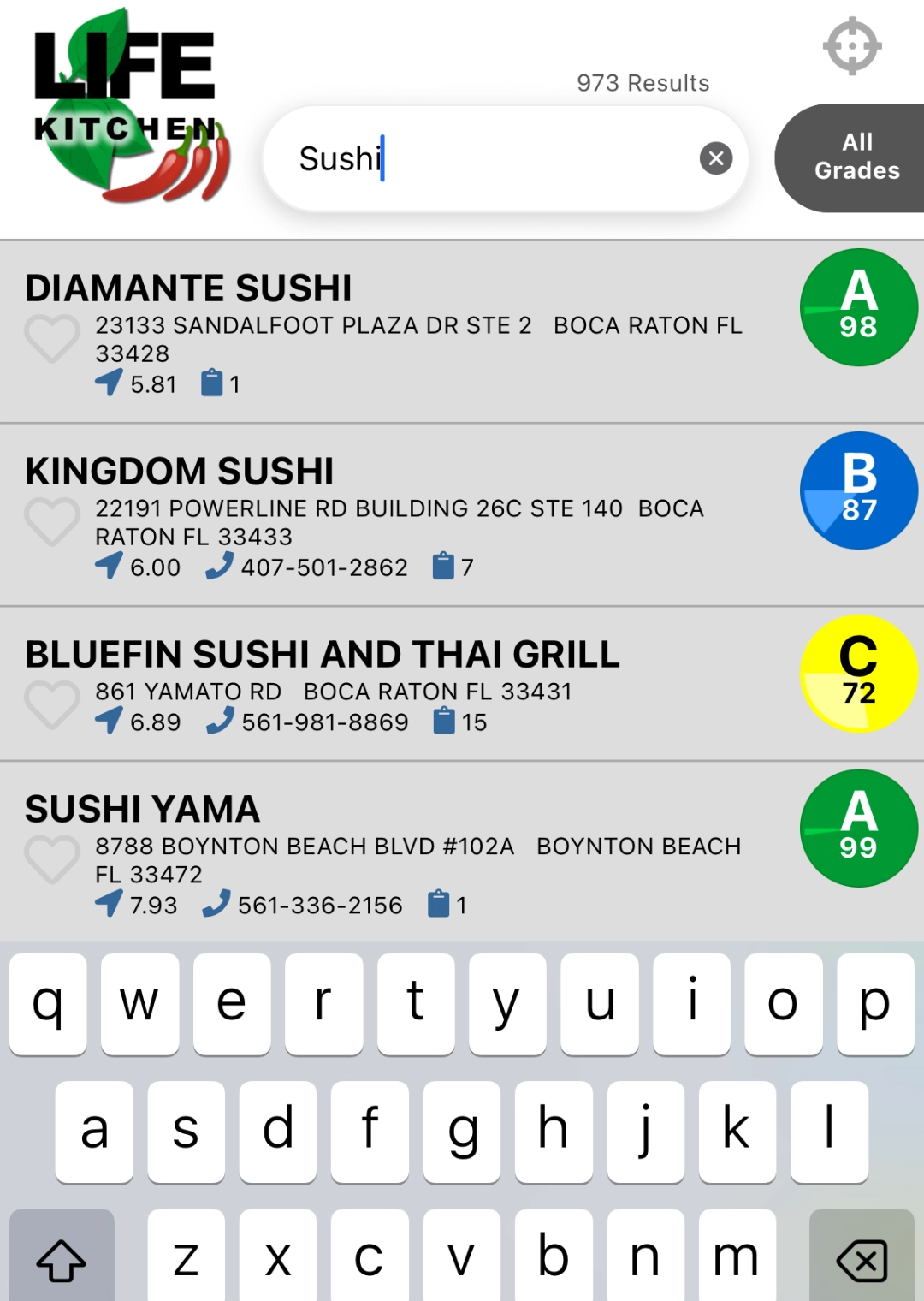
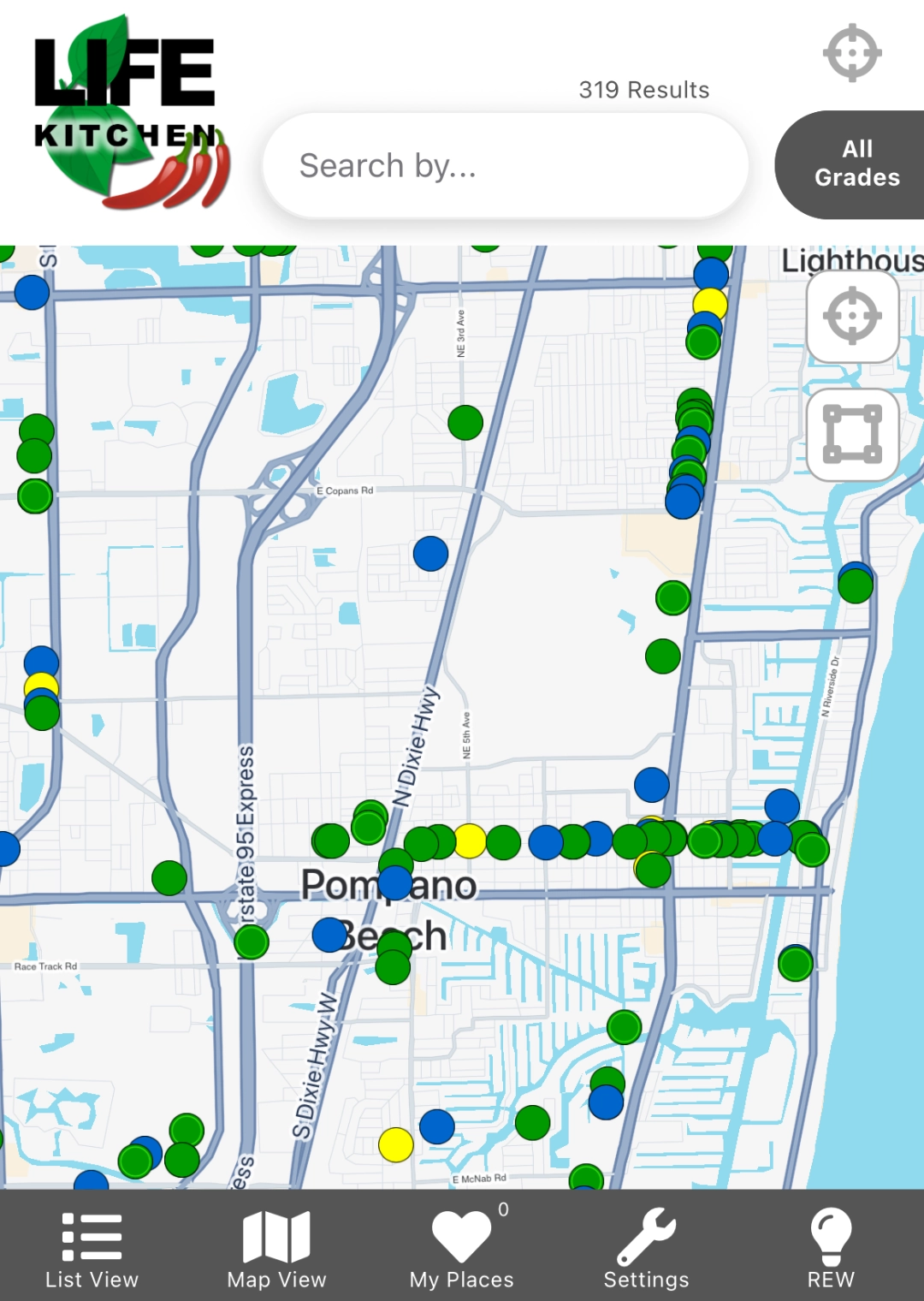
After downloading the app, users are able search for ‘health scores’ by restaurant name, city or zip code. Results are generated based on distance to the establishment (using your GPS location), or can be viewed graphically on a map by what is nearby.
Life Kitchen Restaurant Score Formula
The Life Kitchen grades are calculated as follows:
- Basic priority violation = 1 point
- Intermediate priority violation = 2 points
- High priority violation = 3 points
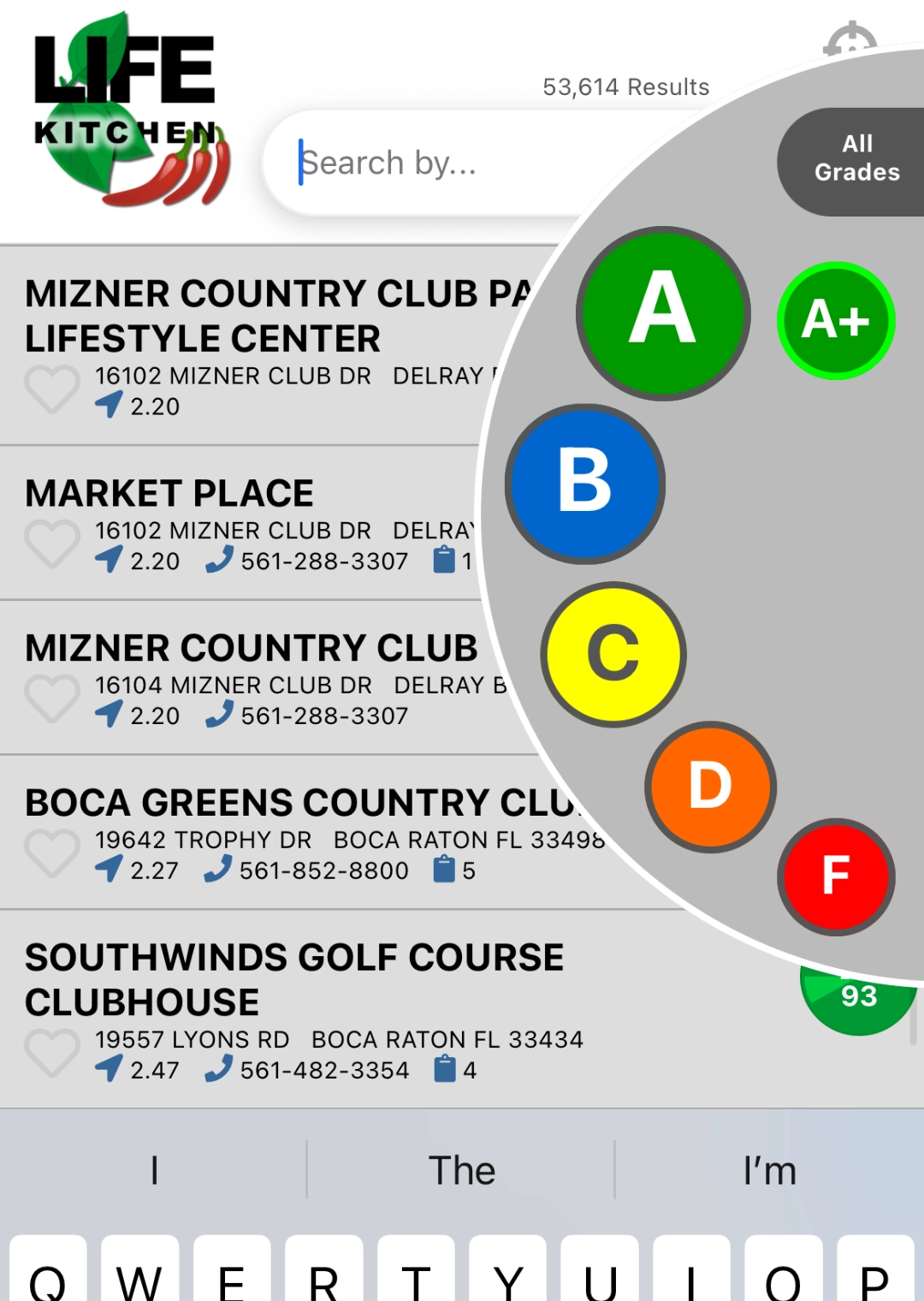
The scores start at 100 and points are deducted based on the priority level of the violation. Letter grades are then provided based on the final score, using a scale similar to school grading:
- A = 90-100 points
- B = 80-89 points
- C = 70-79 points
- D = 60-69 points
- F = 59 points and below
Photos of Life Kitchen App
List View
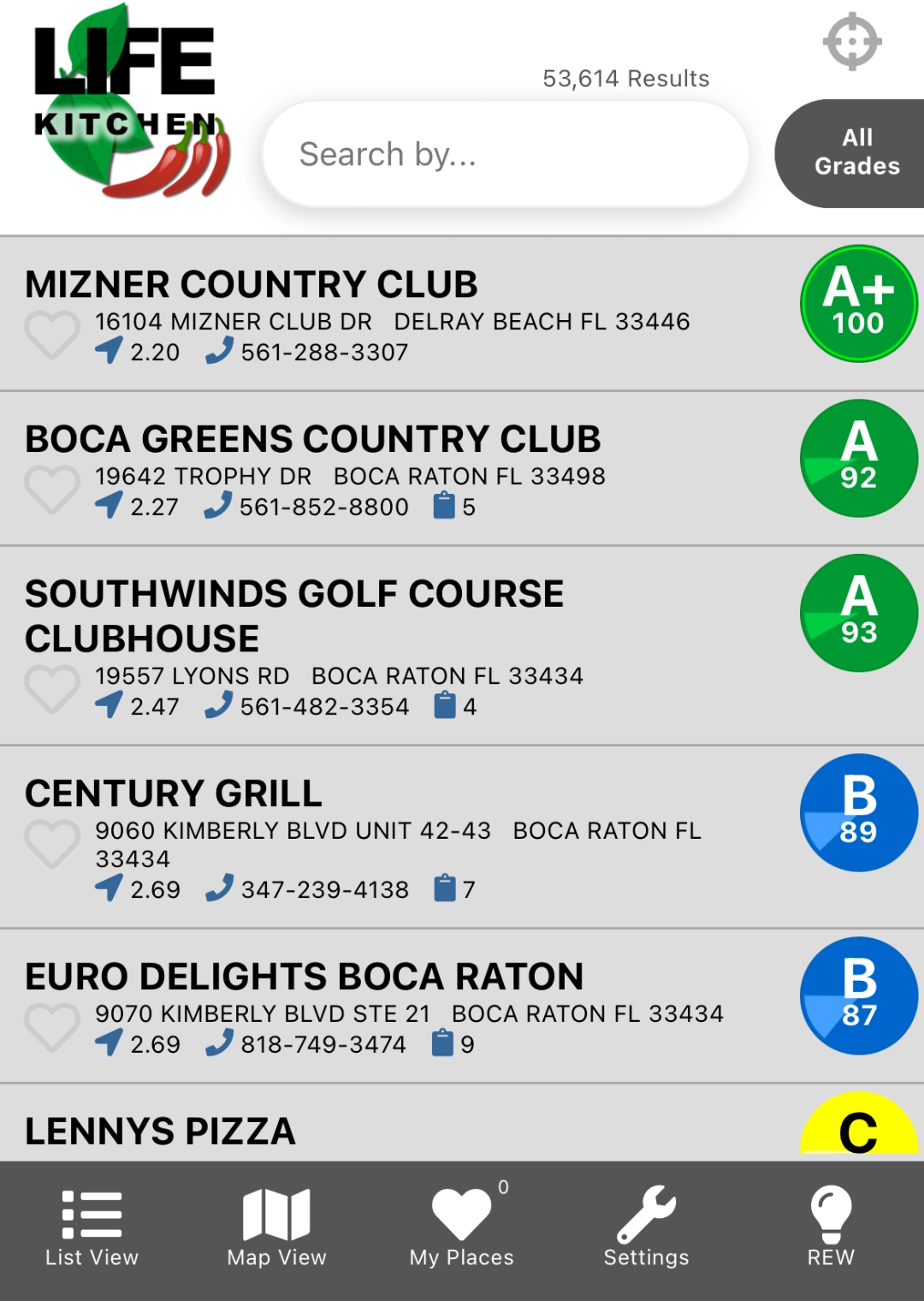
Search for specific grade
Search for specific term
Map View
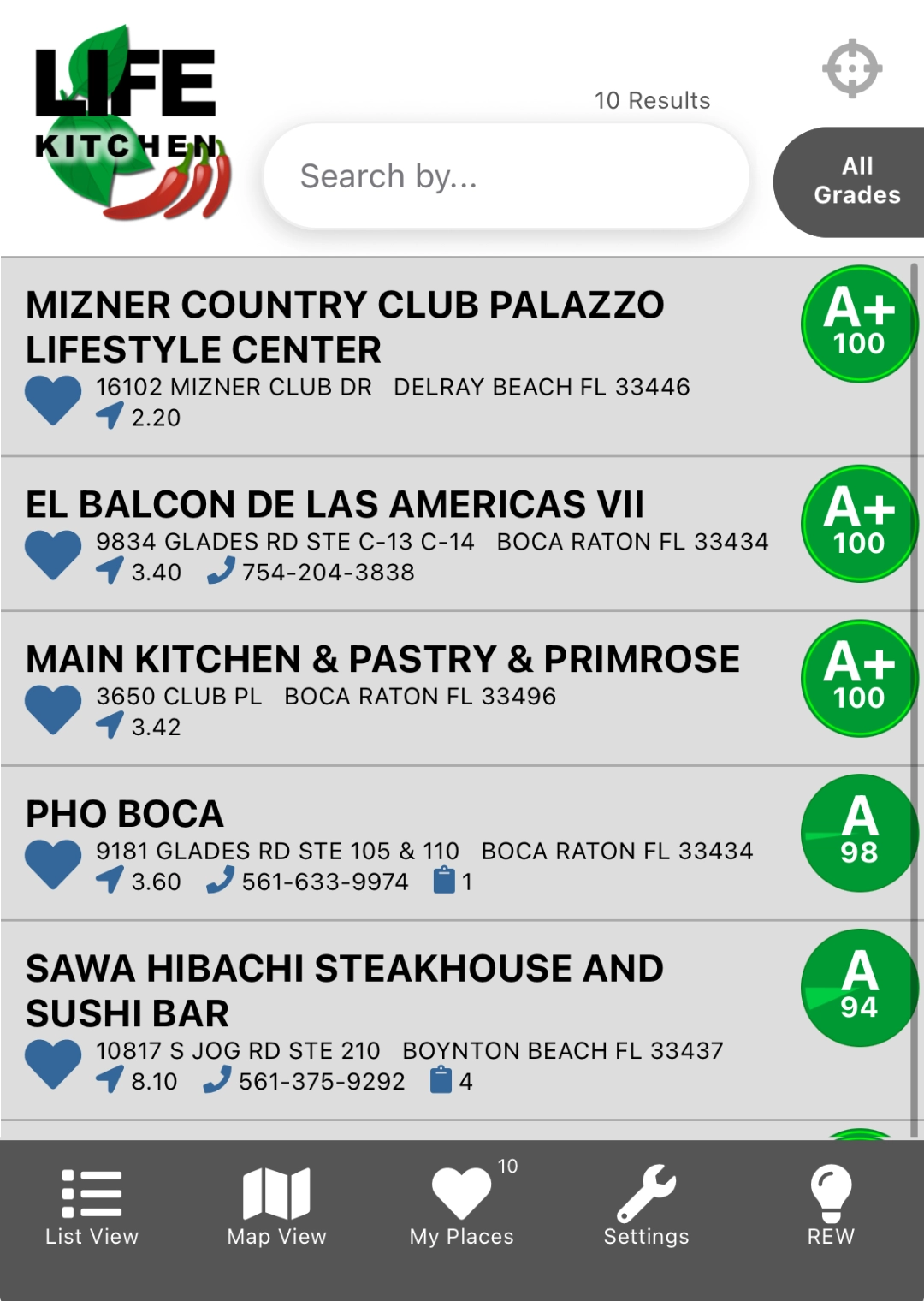
Favorites View
Restaurant Information
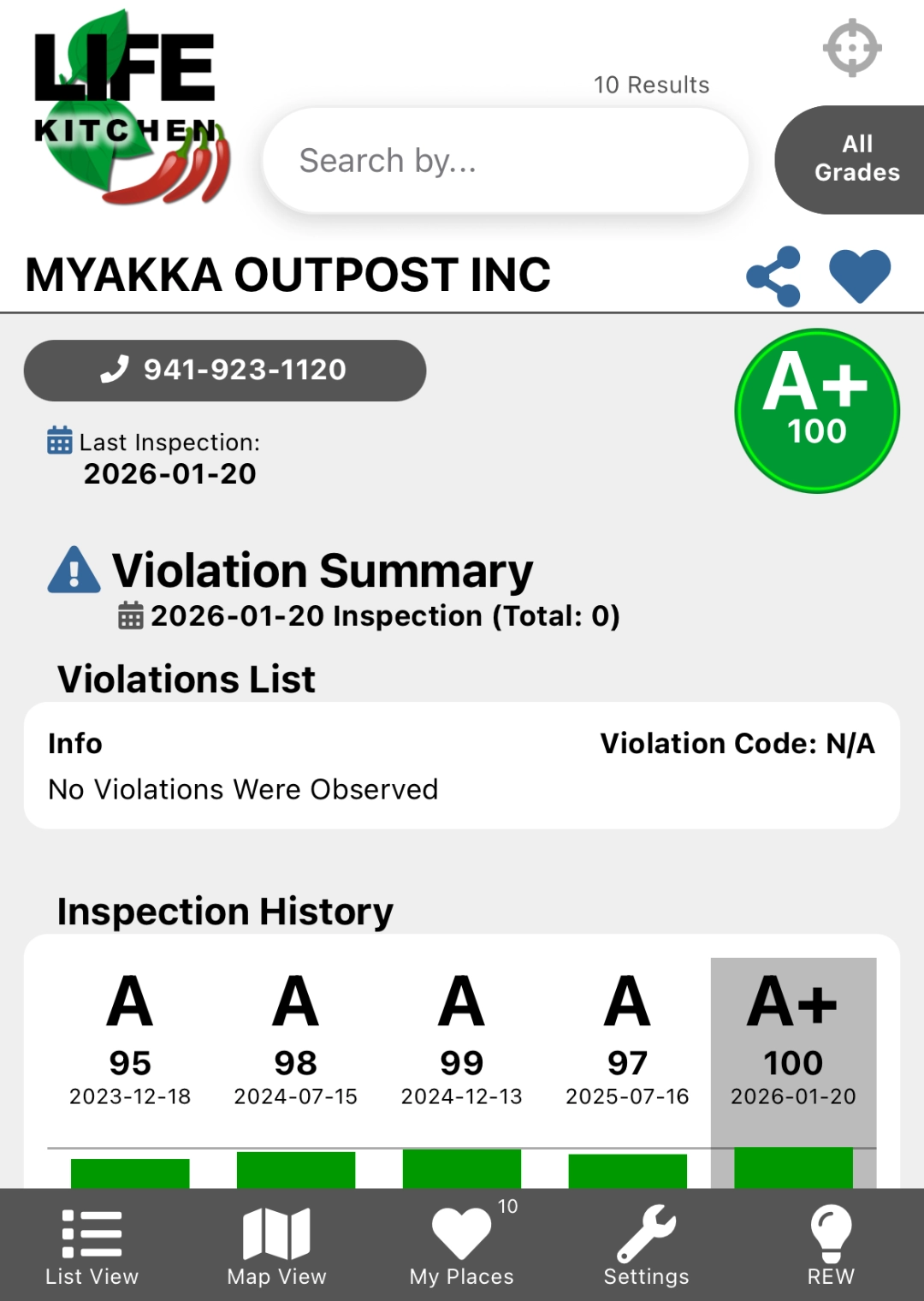
Violation Summary & Details
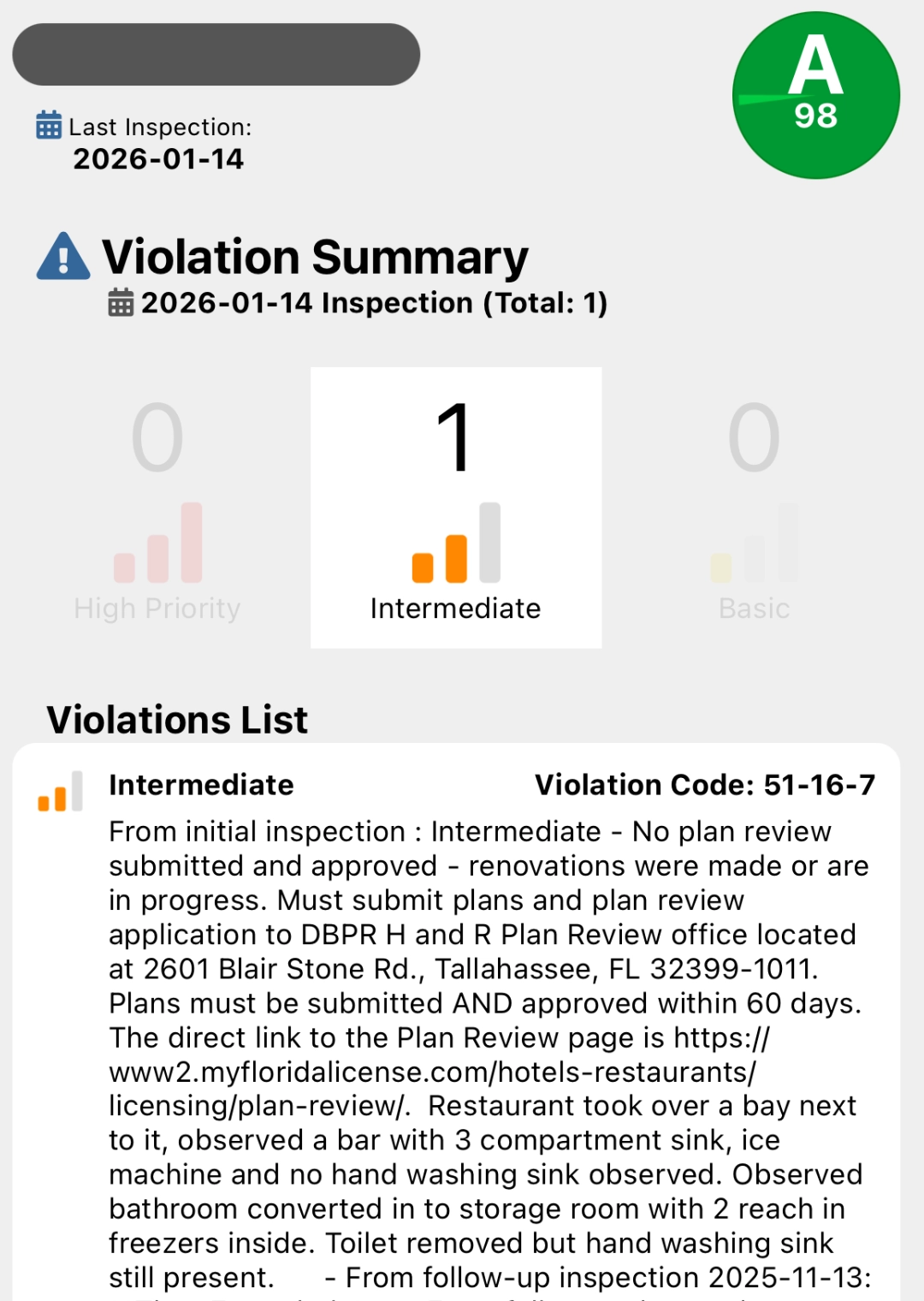
Violation Summary & History
How to Look Up Restaurant Health Inspection Reports on Florida Department of Business & Professional Regulation
Whether you prefer written instructions, or just want to see photos and arrows, we have you covered!
Written Instructions for DBPR Website
- Open Food Inspection Search
- Click: Search by Name
- Enter fields and click Search:
- NAME INFORMATION: Organization/Establishment Name
- If you do not know the spelling or the exact name, click ‘include names with alternate spelling’
- OPTIONAL SEARCH CRITERIA: City/County
- Select FOOD SERVICE from License Type dropdown
- Enter city, county and state (if you have this information)
- NAME INFORMATION: Organization/Establishment Name
- Click on Restaurant Name for additional information on specific establishment
- Click on Inspection Detail date to view inspection information
- View the type of inspection and the inspection result
Visual Instructions (with Photos) for DBPR Website
1. Open Food Inspection Search (the page should look like this:)
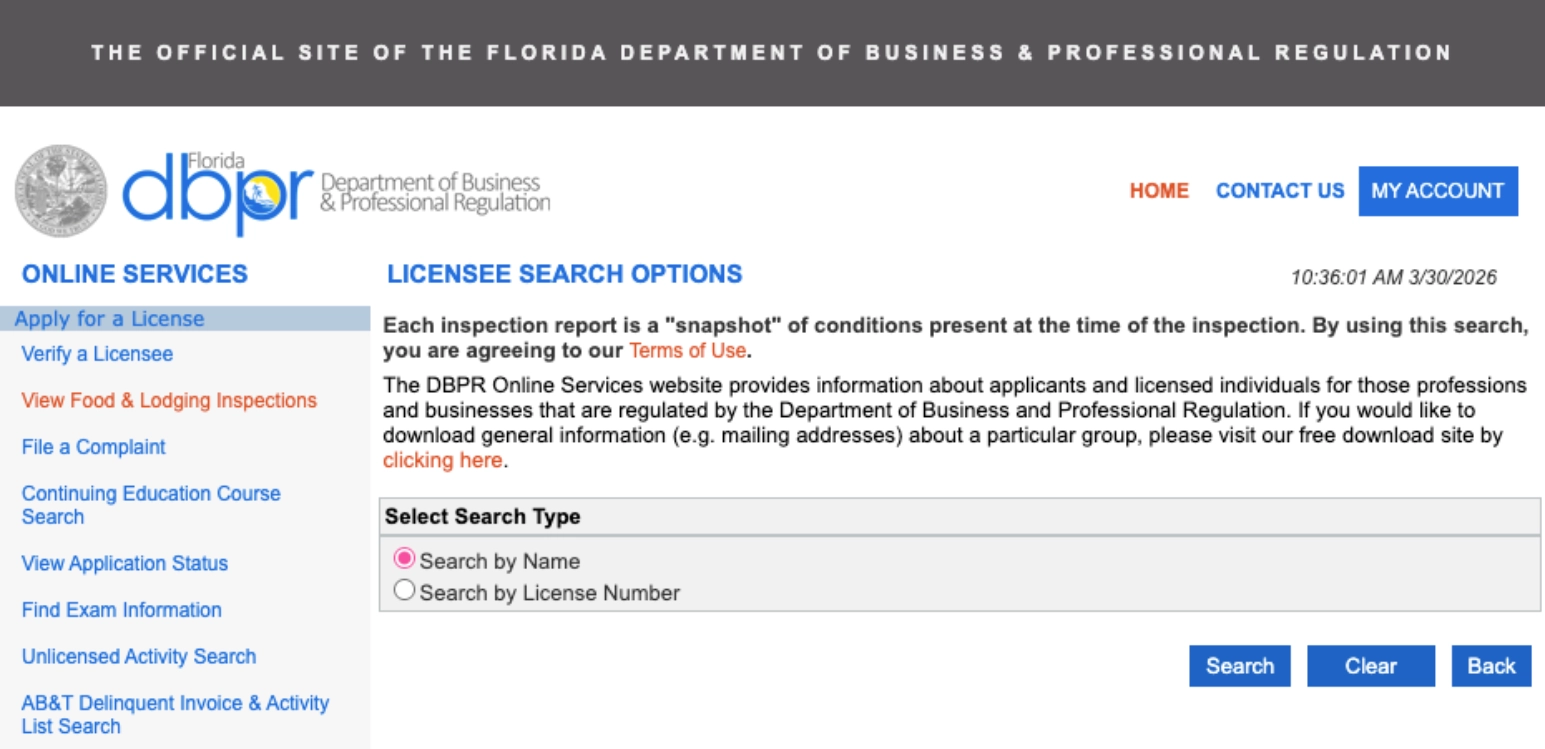
2. Click: Search by Name
3. Enter Restaurant name, license type and the city/county (select ‘include names with alternate spellings’)
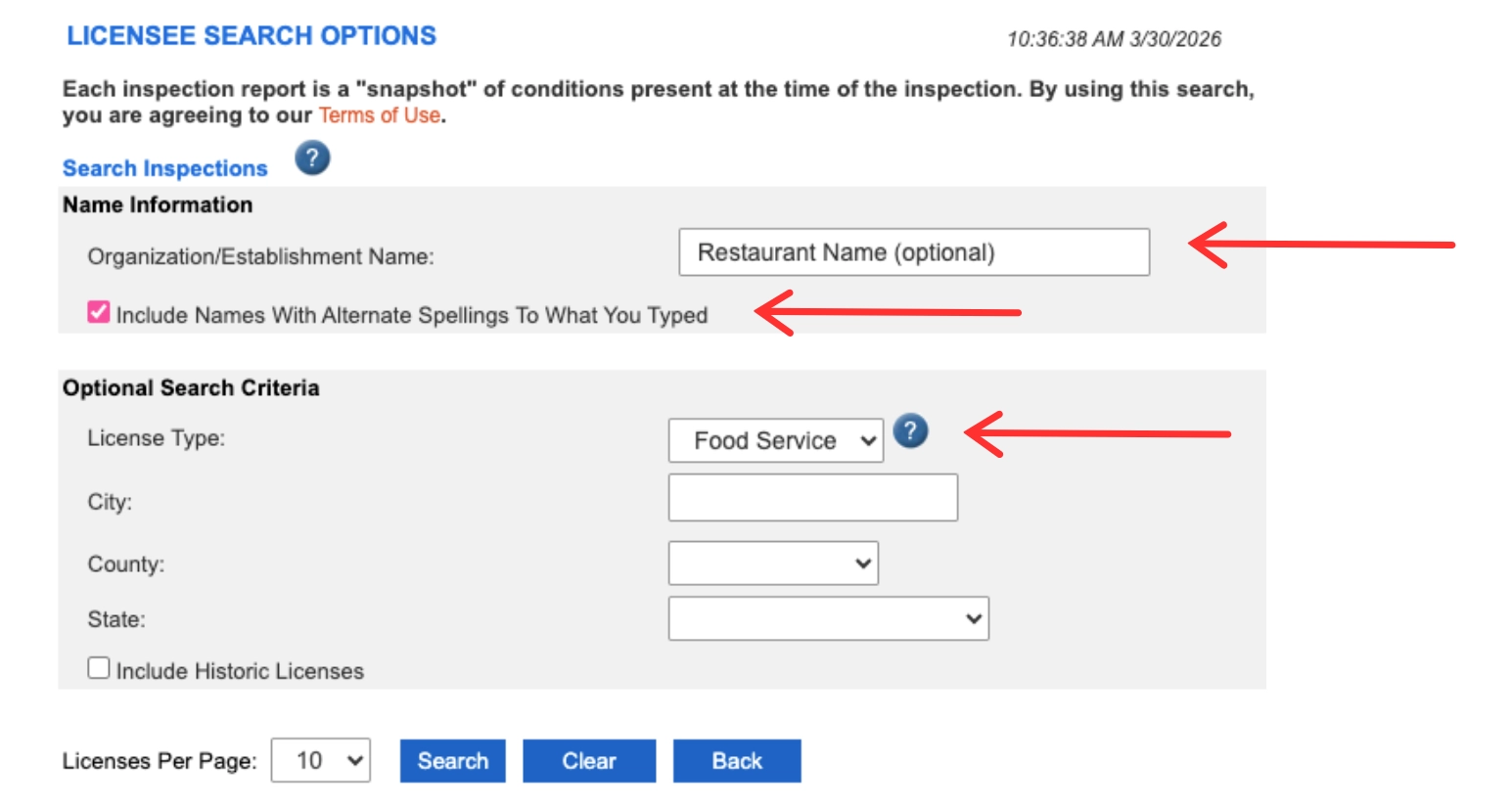
4. Click on Restaurant Name for additional information on specific establishment to open details and list of all past inspections.
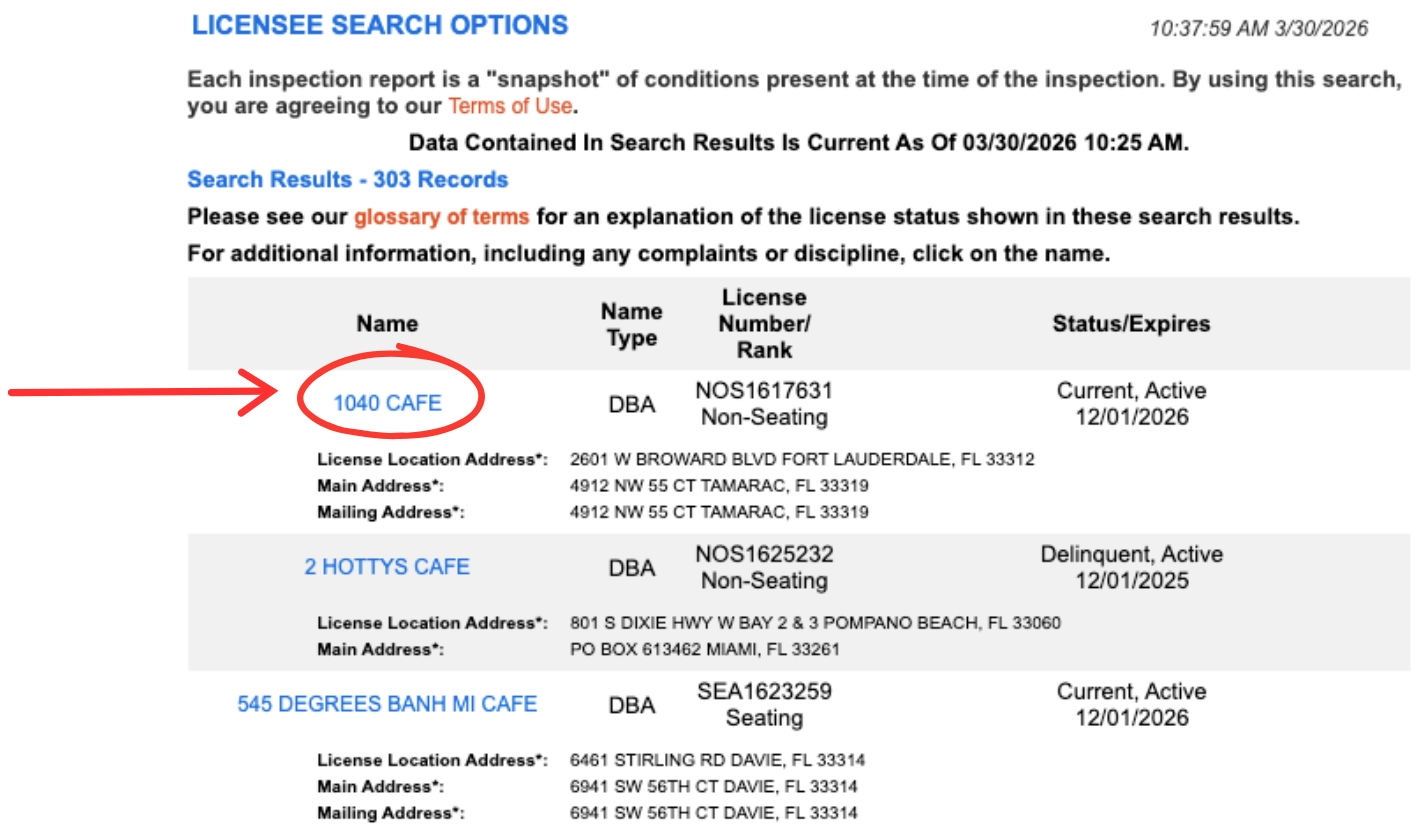
Each inspection is listed with the detail (date), type and result.
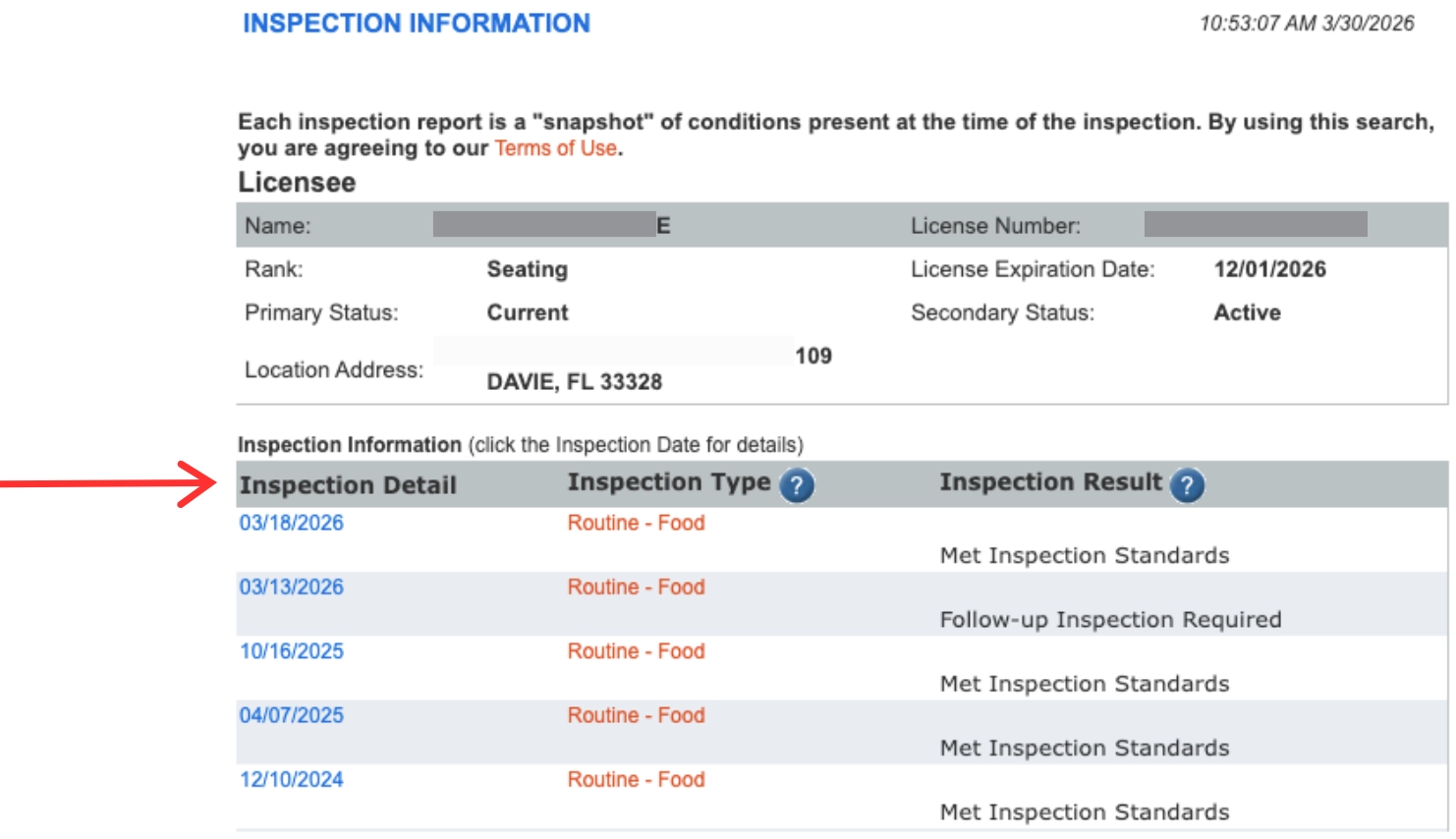
5. Click on date to open up details of specific inspection.
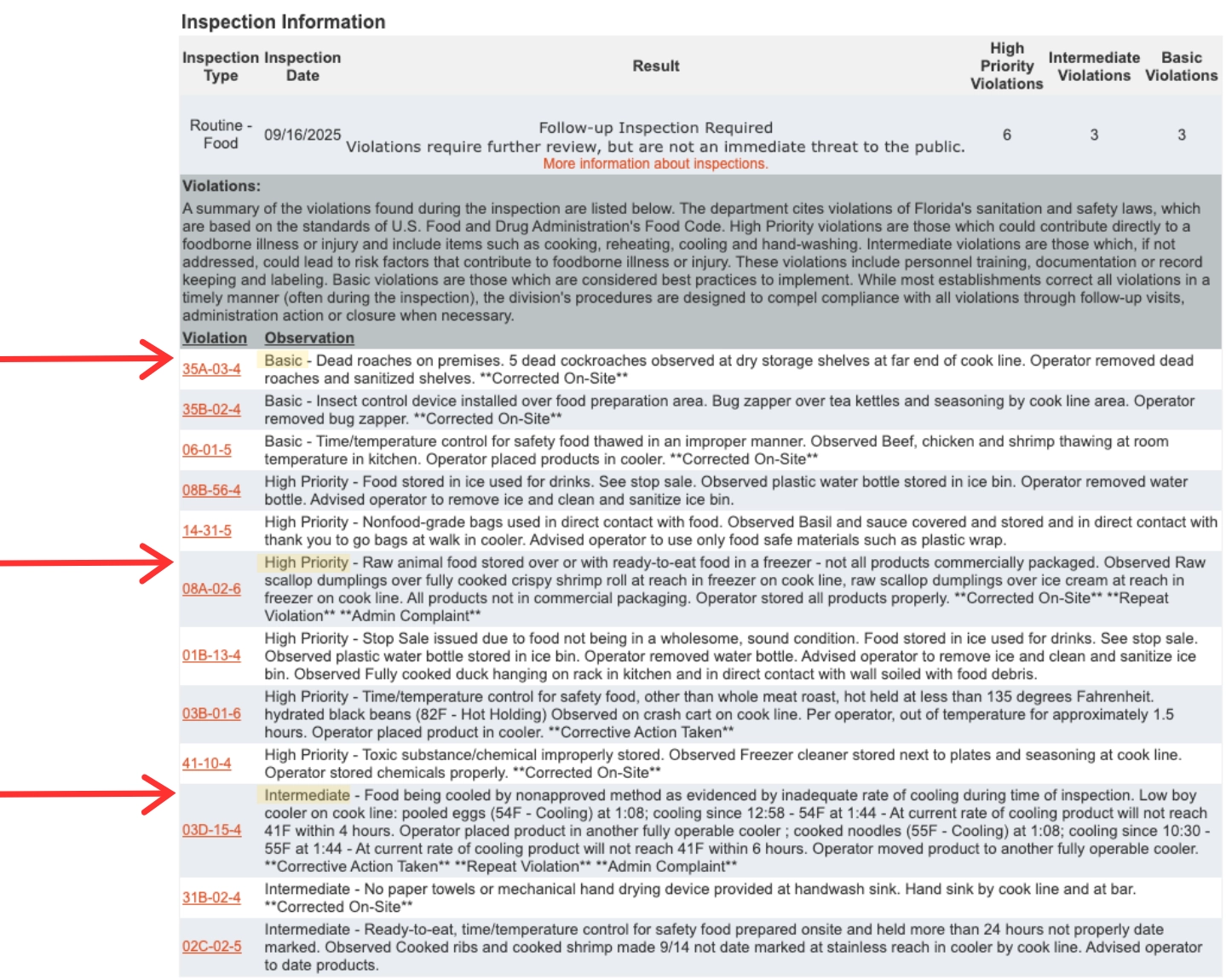
Reports have the result [Met Inspection or Follow-Up Required] and violations listed on top, followed by additional details of each violation and an observation (with notes) from the inspector.
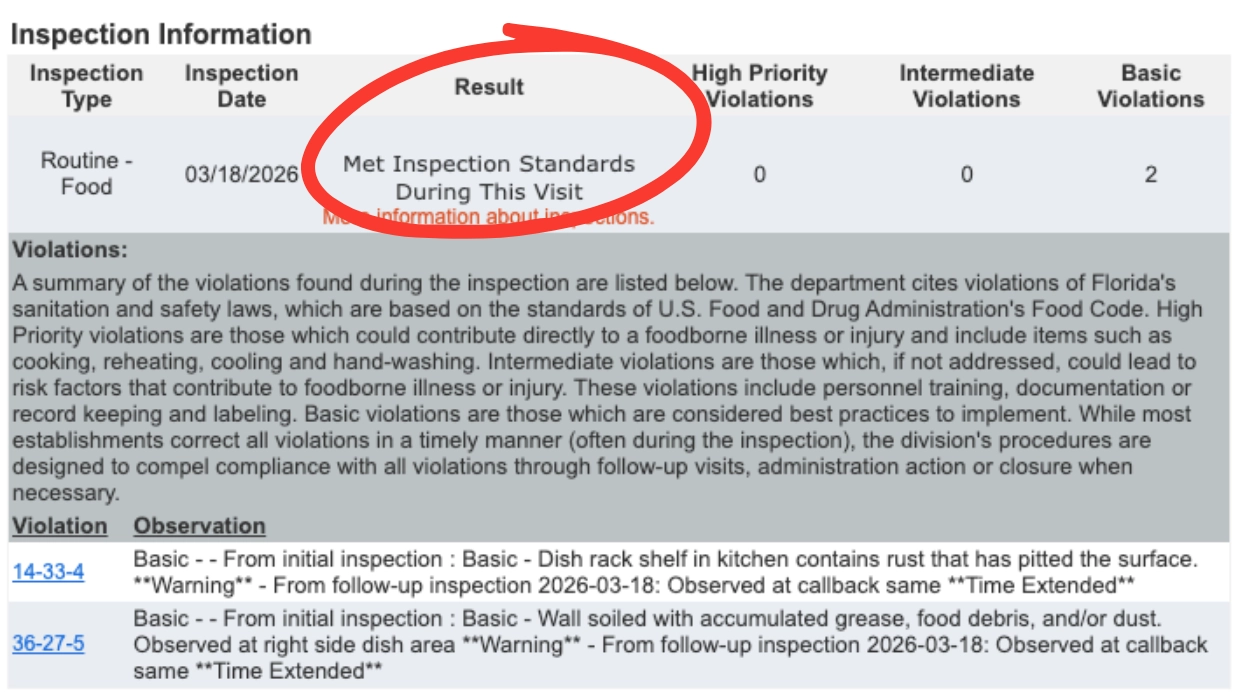
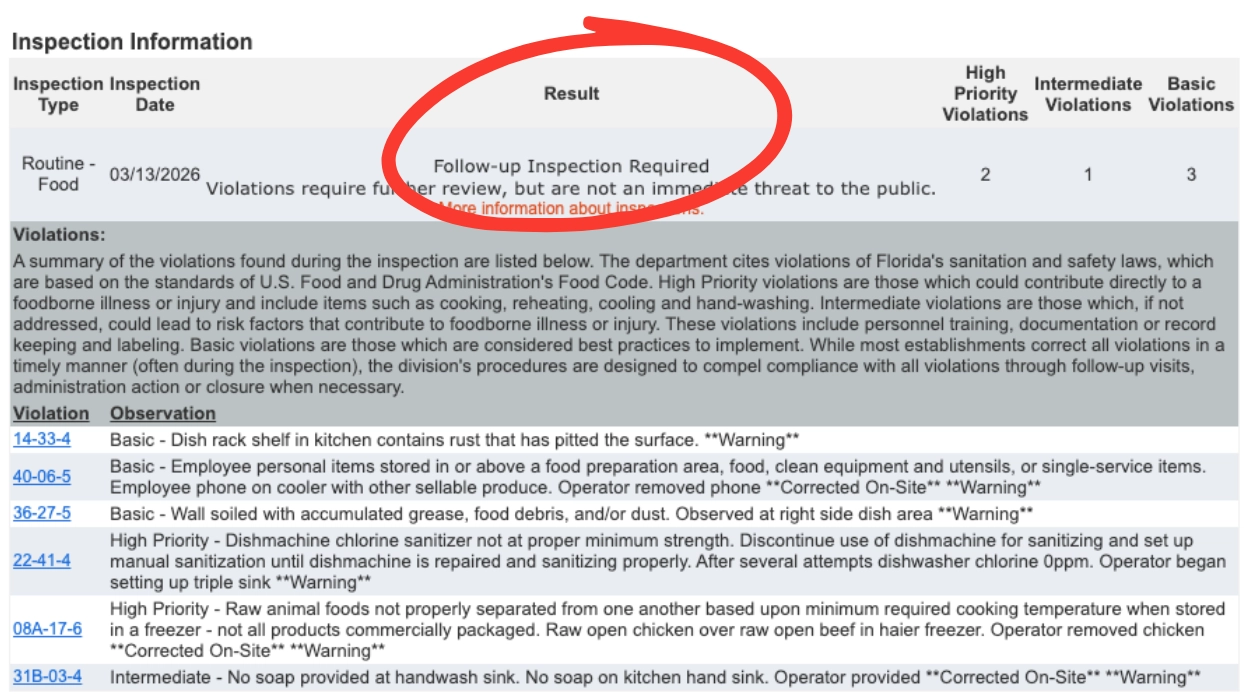
The violations and their priority are listed at the beginning of the Observation column.
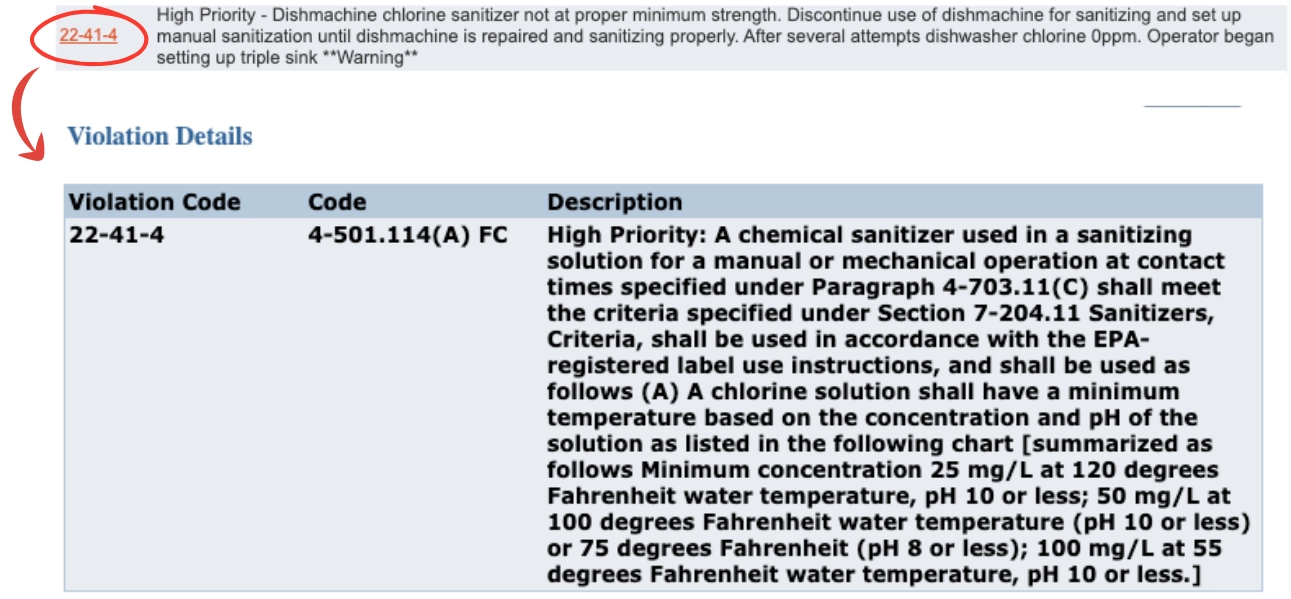
6. Click on Violation number/code to read the full description of the violation
For more details or additional information n how the DBPR score the restaurants, visit their website.
DBPR Mobile App Instructions (Photo Guide)
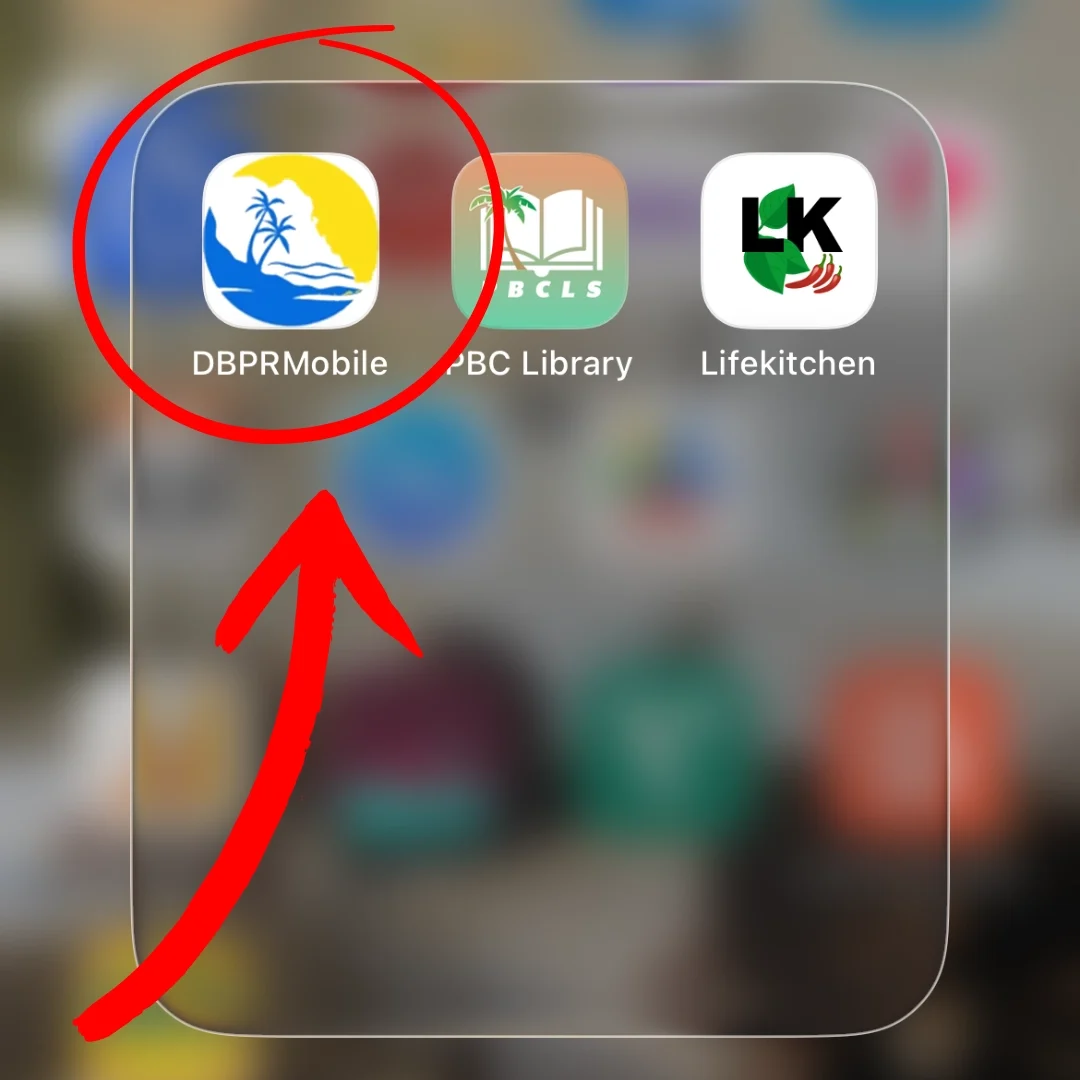
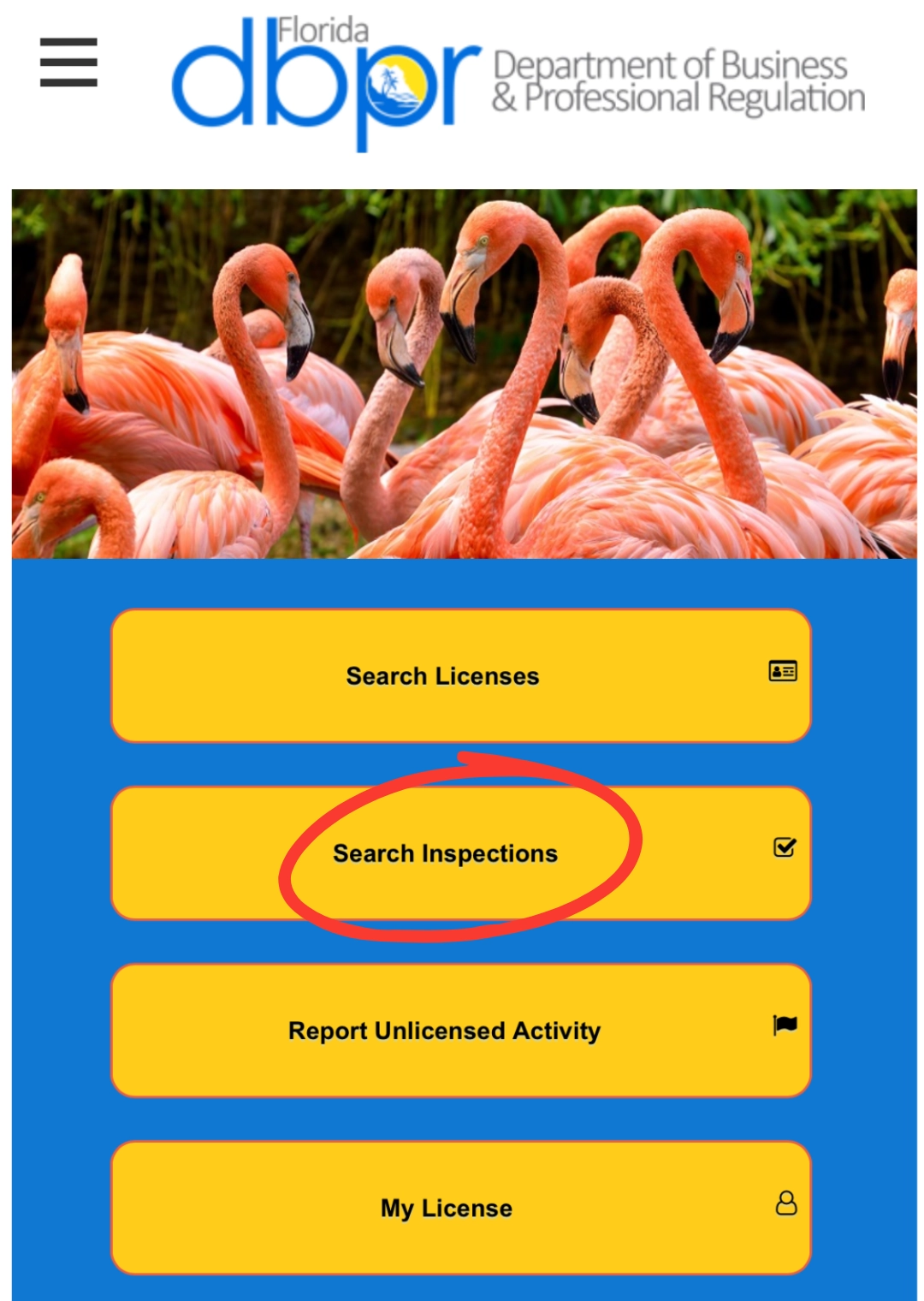
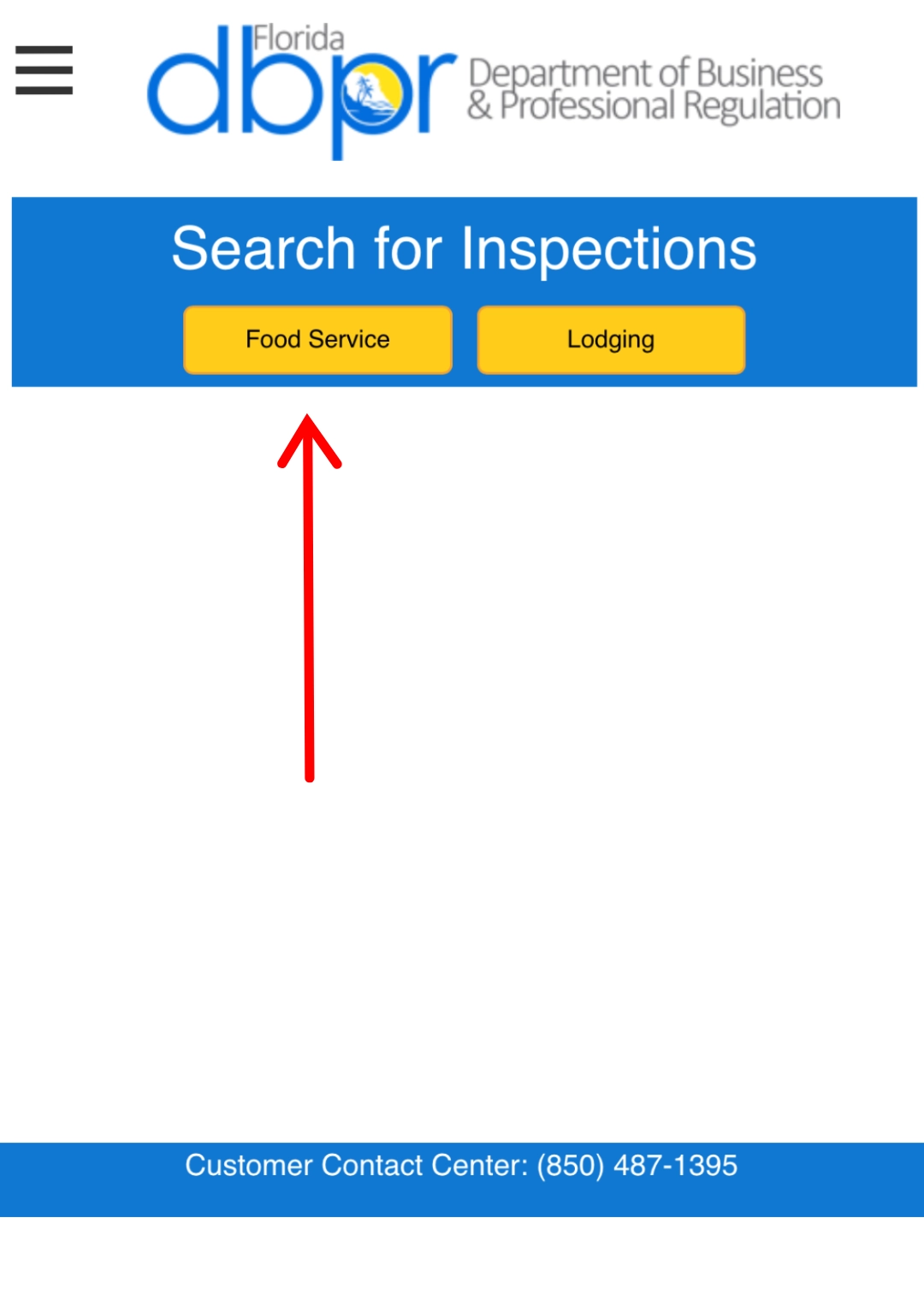
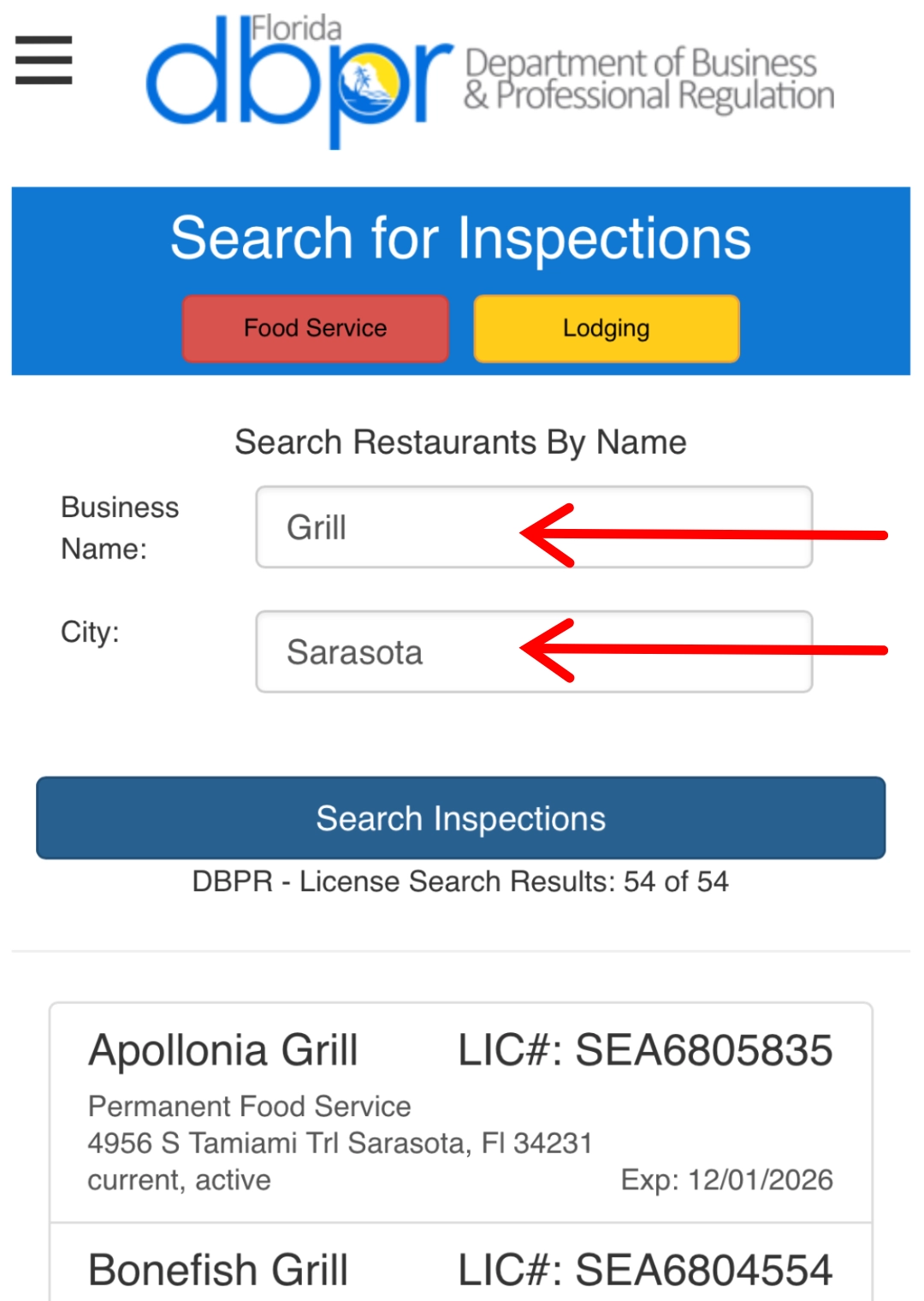
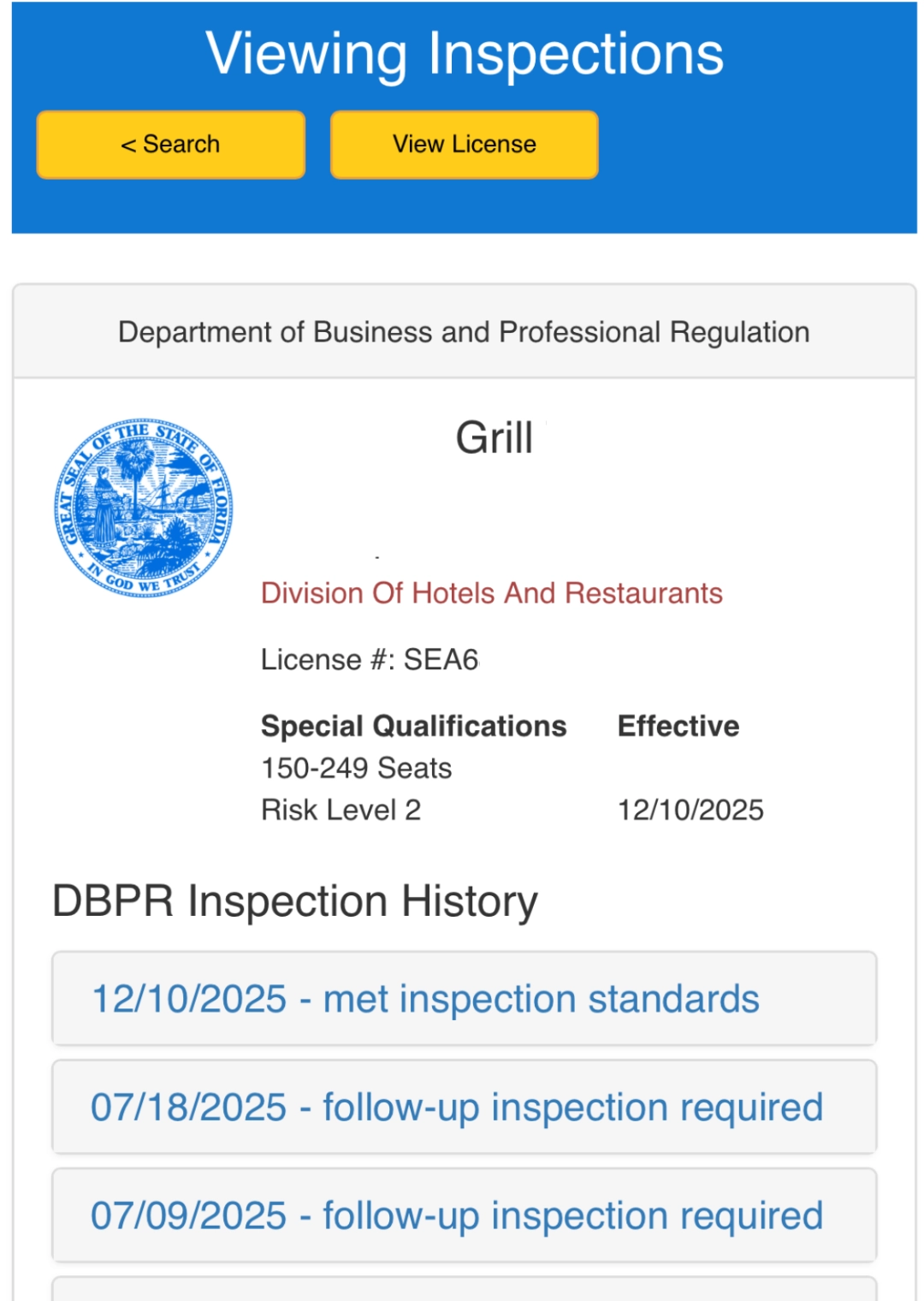
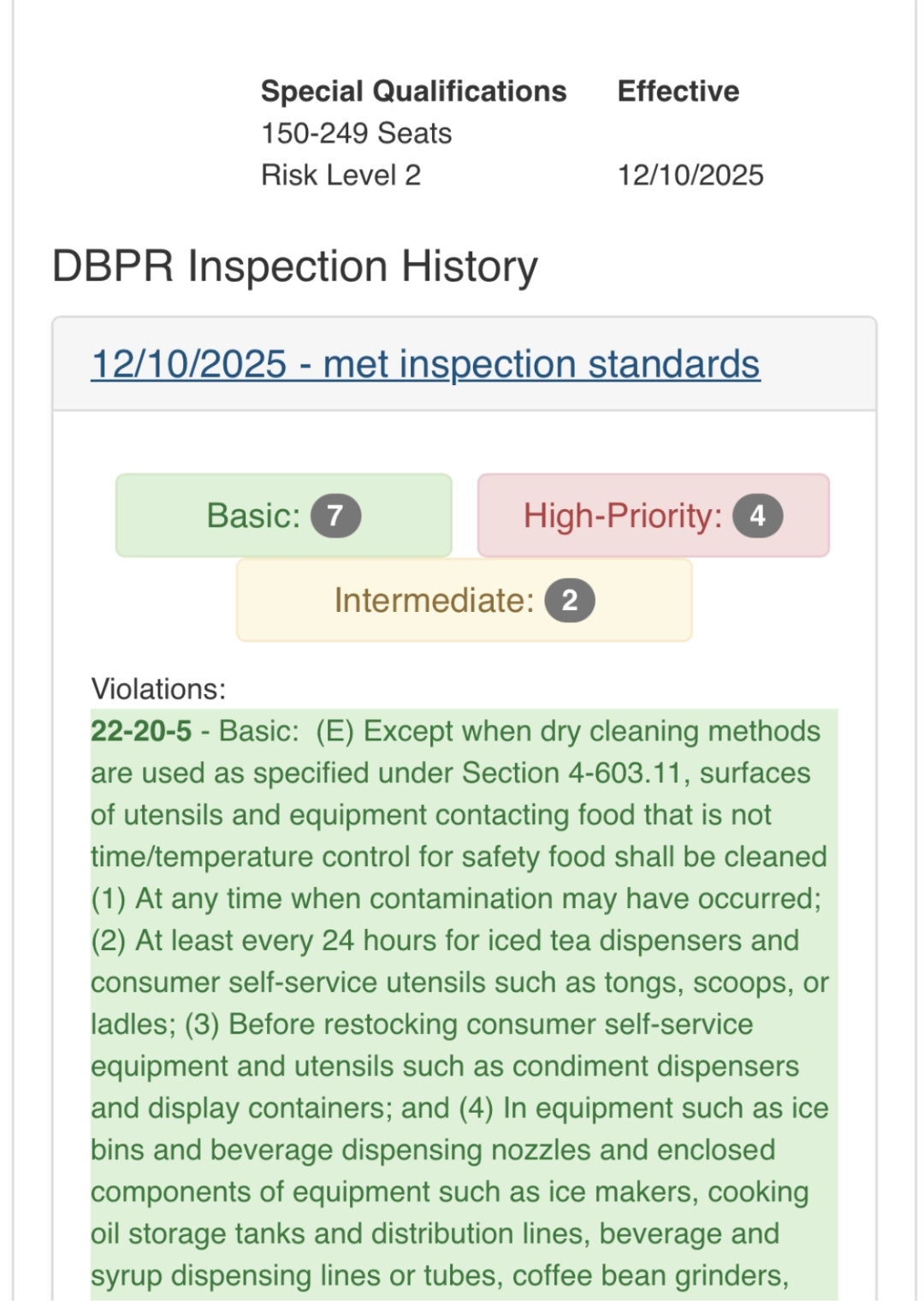
Using the mobile app mirrors the website. You start off by searching for an inspection, selecting Food Service, entering the name and city, then selecting the restaurant from the list of results. Once opening an individual establishment, there is a list of the inspection history with dates and results. Each report is broken down further into the three priority violations.
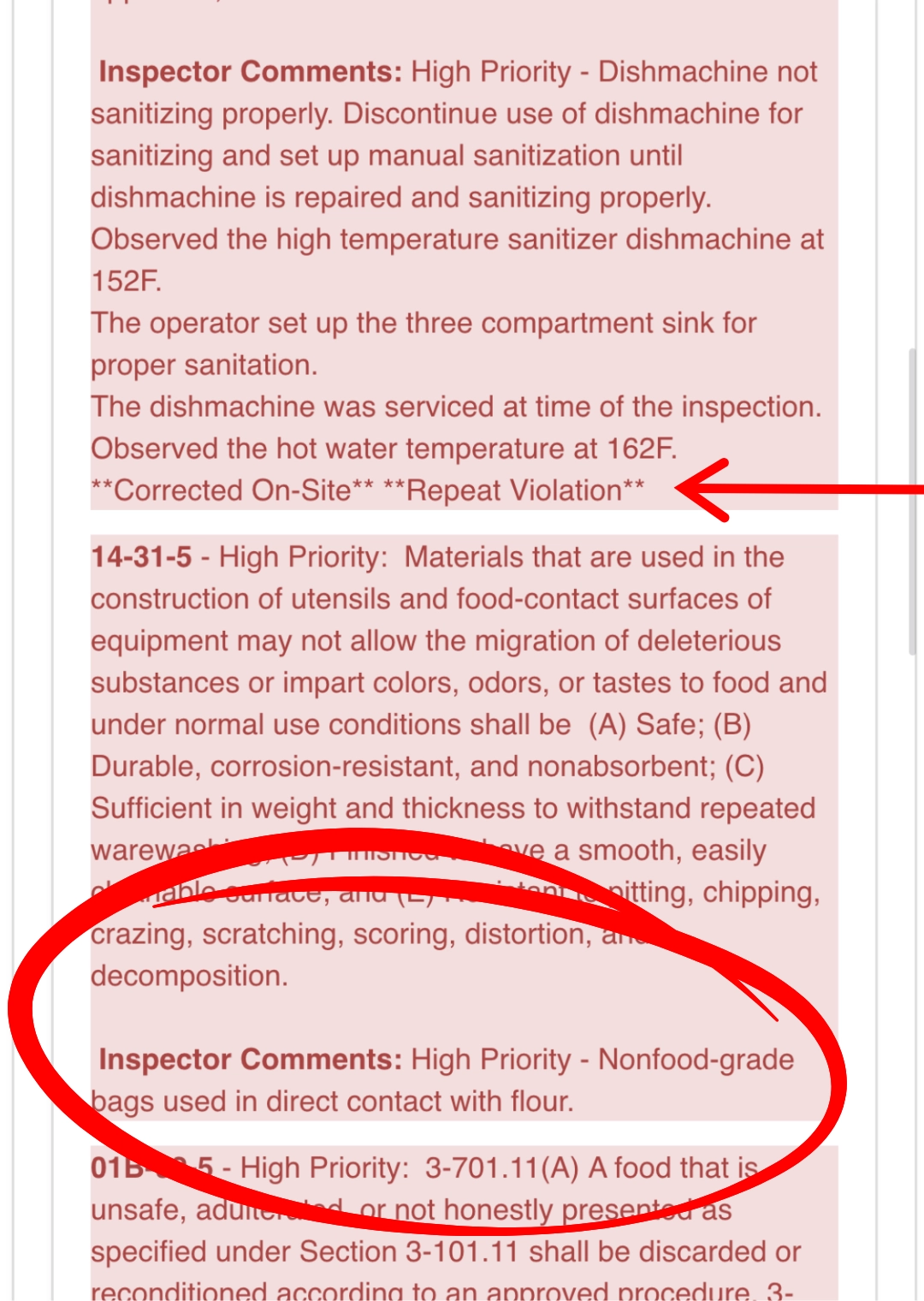
Something nice about the app is the color coding. It makes a quick glance easy for diners. No red violations = good, a lot red violations = bad. If there are any inspector notes, they are listed at the end of the violation description.
Step 1: Search Inspections
Step 2: Select Food Service
Step 3: Enter Name and City
Restaurant Inspection History
Inspection Violation Details
Inspector Notes in Violation Details
Risk Indicators & Red Flags on Restaurant Inspection Reports
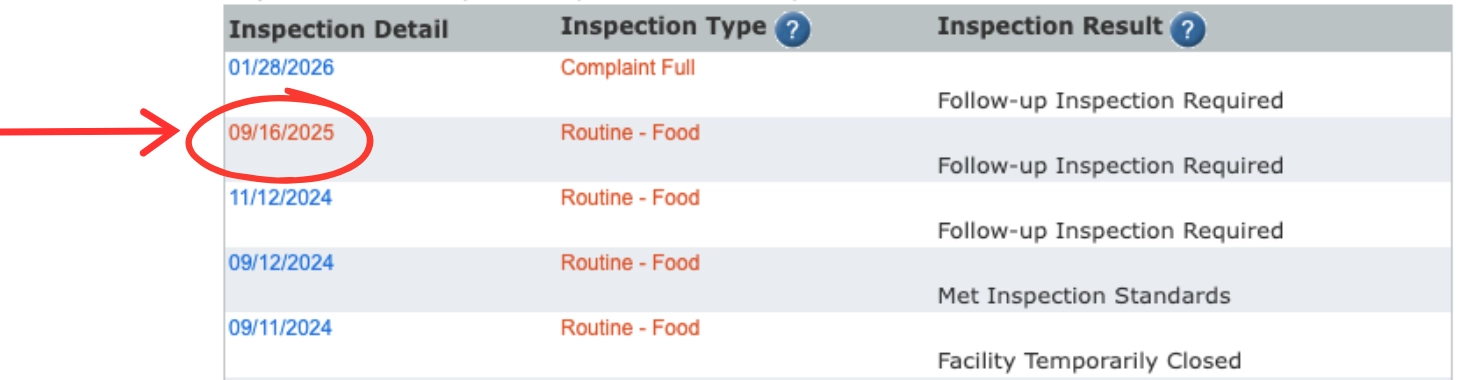
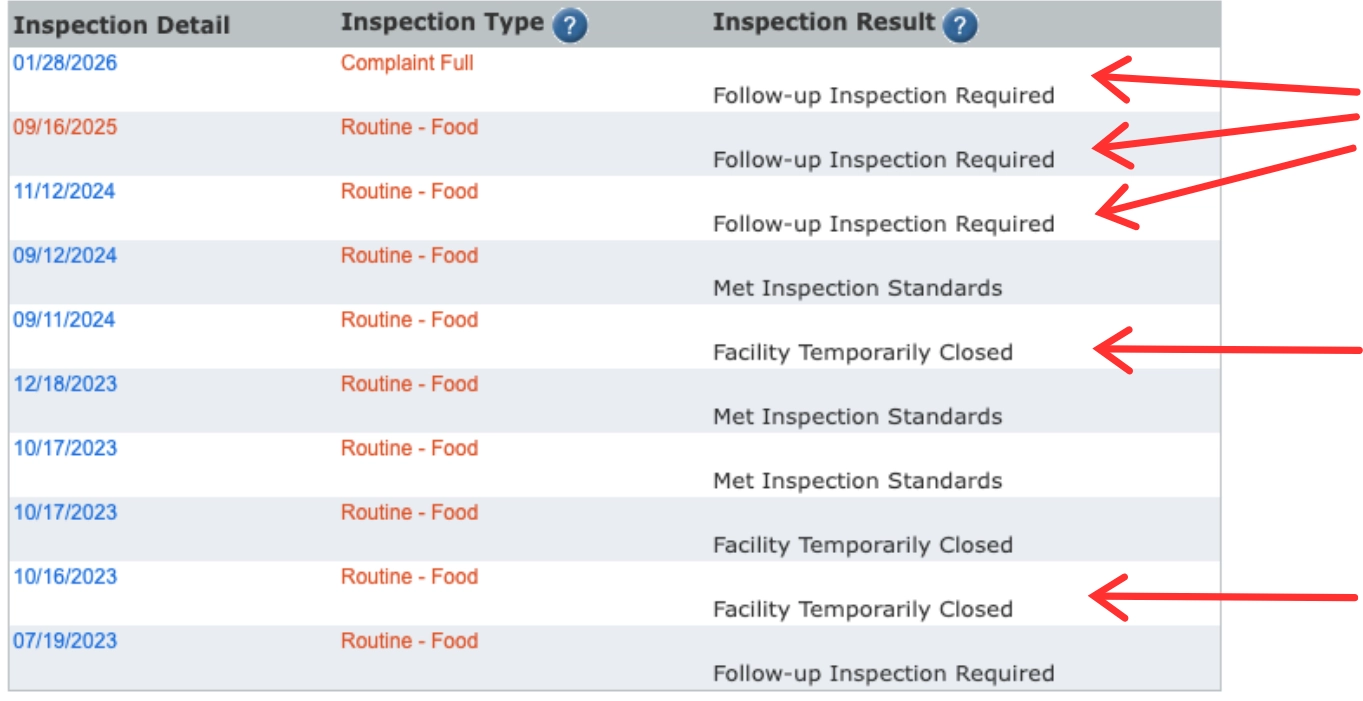
When it comes to risk indicators and red flags on restaurant inspection reports, it’s important to look for patterns over time. While we don’t agree that posting grades or scores is bias, we do understand the concept of a ‘snapshot’ and how kitchen operations can change day to day. So, an occasional dip in the score, or a first time violation may not be as strong as a risk indicator as a history of facility closures, or multiple follow-up inspections required.
This is the actual history of the restaurant I got severe food poisoning from. I wish I would have looked before consuming their food, since the history alone could have been a warning. All of those closures and follow ups are a huge red flag!
Of course high priority violations in Florida restaurants should be taken seriously since these violations are associated with foodborne illnesses. You should also pay attention to the observation notes and if it was corrected on-site and/or immediately. If yes, great, hopefully it was a fluke. But, take a mental note and look out for their next report to see if it becomes a pattern.
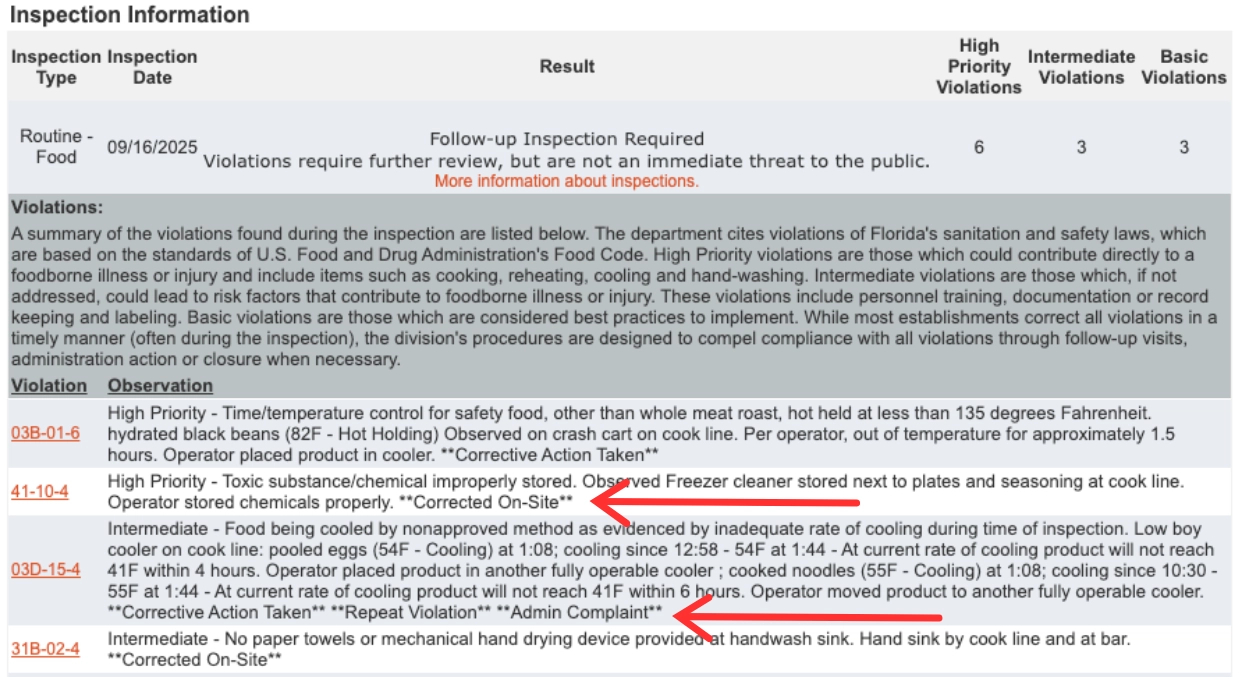
Which brings us to the next important consideration, repeat violations. Establishments that keep getting the same violation over and over could indicate that the overall kitchen operations are not well managed. This is a red flag because without proper oversight, food safety may be at risk. “Repeat violation” is also noted in the observation details.
More violations that we consider red flags (and would reconsider dining) if we saw on a food inspection report are:
- Anything related to live vermin, roaches, flies, insects, etc.
- This one does not need an explanation
- Food stored at incorrect temperatures (Cold TCS held above 41ºF)
- Florida humidity is a killer, and if food is left out or not cold enough, bacteria can grow
- No potable running water
- If there is no running water then there is nowhere to wash hands, food, or dishes
Frequently Asked Questions about Restaurant Inspection Reports in Florida
How often do restaurant inspections in Florida occur?
All public food service establishments regulated by the DBPR must undergo 1 to 4 unannounced inspections each year. The number of inspections depends on risk factors, including the type of food used, preparation methods, and the establishment’s inspection and compliance history.
Where can I find restaurant health inspection reports for Florida?
Florida health inspection reports are available to the public through an online database operated by the Florida Department of Business & Professional Regulation (DBPR). Yelp and Life Kitchen are two additional resources that provide inspection report details as well, however they are not government operated.
How do I know if a temporary restaurant closure was due to cleanliness or management?
Cleanliness issues typically involve pests, sewage, or food contamination (like roaches, no hot water or the other red flags we mentioned), while management issues often involve missing food certifications, unlicensed operations, or repeated violations indicating poor oversight.
In Florida, can you find a list of restaurants that failed health inspection?
Yes. Emergency closures are listed each week on the DBPR website. It shows the establishments per county. If you’d like alerts for closures in your area, sign up and we’ll send you weekly updates.


Incredible points. Outstanding arguments. Keep up the great effort.